
You've copied lyrics with chords from Ultimate Guitar or a ChordPro file. On screen they're readable enough, but for the gig or rehearsal you want a proper lead sheet — chords above the right syllables, chord diagrams for the band, maybe a short riff notated between sections. The Lead Sheet Editor turns that pasted text into a printable lead sheet in a few minutes.
Why a Printed Lead Sheet?
Phone screens die mid-set, tablets catch glare, and scrolling through Ultimate Guitar during a song is a distraction. A printed lead sheet in your key, with the chords placed exactly where they belong, stays readable on any music stand. One page per song, no battery, no ads.
How the Lead Sheet Editor Works
The editor takes you from raw text to a print-ready lead sheet in five steps:
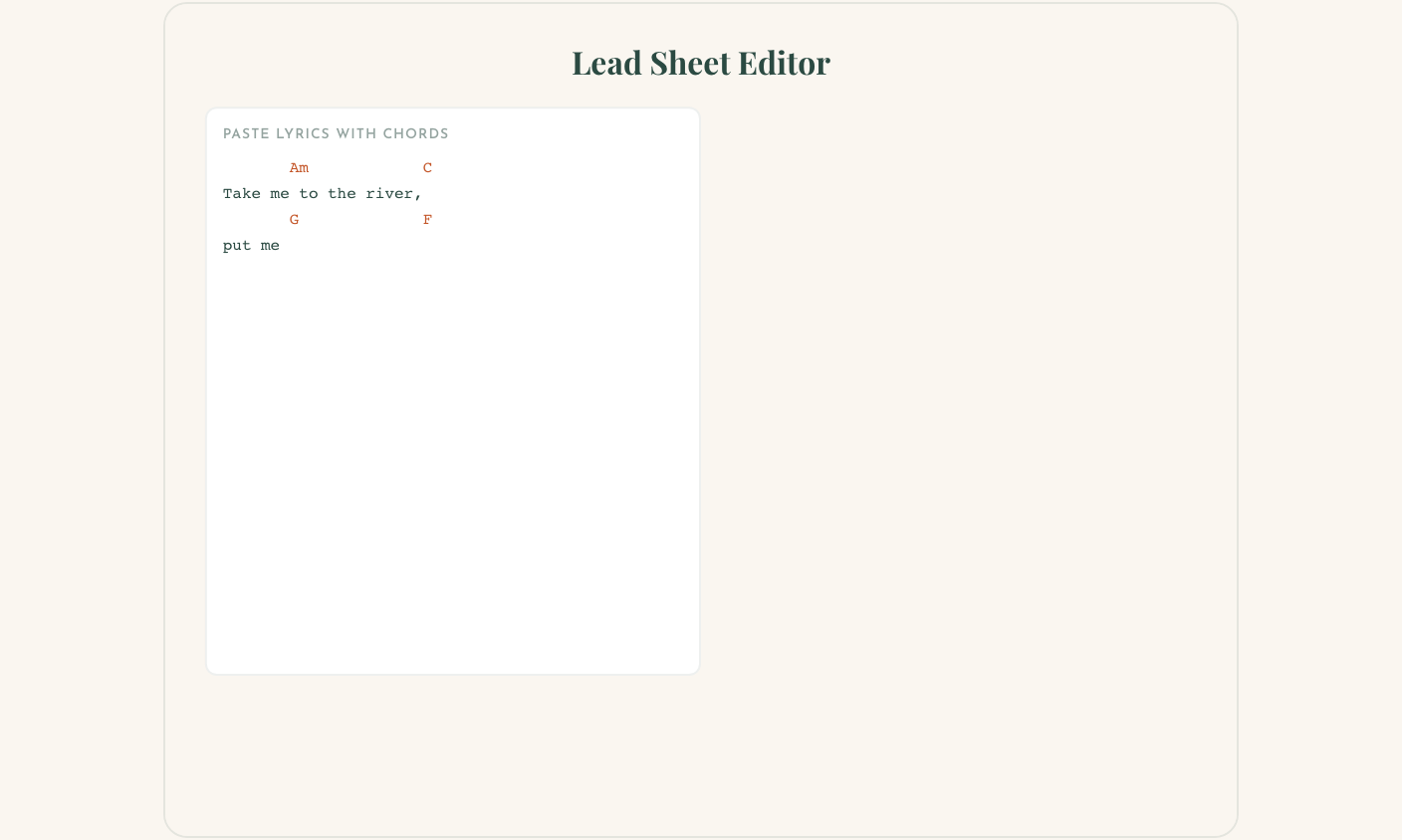
- Paste your lyrics with chords — copy from Ultimate Guitar, a ChordPro file, or any plain text with chords in square brackets or on separate lines. The editor auto-detects the format.
- Chords appear above the right syllables — the preview shows your lyrics structured into sections (Verse, Chorus, Bridge) with chord names positioned exactly above the text they belong to.
- Chord diagrams appear automatically — the editor detects every unique chord and shows diagrams at the top of the sheet. Pick your instrument: guitar, ukulele, mandolin, banjo, bass, or piano.
- Edit chord rhythms — switch any line to bar mode to see a rhythm grid. Adjust beats per bar and bars per line to match the feel of the song.
- Add notation between lines — click the insert button between any two lines to drop in a notation block. Write an intro riff in ABC notation, use the visual staff editor, or add tablature. The notation renders inline with your lyrics.
When you're done, transpose to your key, then export a PDF or add the lead sheet as a page in your songbook.
Build your lead sheet
Paste lyrics with chords, get chord diagrams, add notation, export PDF. Free — no account needed.
Open the Lead Sheet EditorWhat You Can Customize
The editor gives you control over how your lead sheet looks and sounds:
- Transpose — shift every chord up or down. Chord names, diagrams, and Nashville numbers all update together.
- Chord diagrams — choose which instrument to show diagrams for. Guitar, ukulele, mandolin, banjo, bass, and piano are supported. Switch instruments and the diagrams redraw.
- Nashville numbers — toggle Nashville notation so your chart works in any key without transposing.
- Chorus styling — choose bold, indented, or boxed chorus sections so they stand out on the page.
- Metadata — set title, artist, key, tempo, capo, and tuning. These appear at the top of the exported PDF.
- Font size and family — adjust for readability at your preferred stand distance.
Add It to Your Songbook
Lead sheets work best when they live with the rest of your set. Add a lead sheet as a page in your songbook — one book with songs, chord charts, and setlist order. Pair it with a setlist so everyone has the same order and the same charts. See worship band songbook and setlist book for full workflows.
Want chord diagrams on a separate reference page? Use the Chord Sheet Builder to create a one-page chord reference that sits in the same book.
Tips for Bands & Worship
- Worship teams: Transpose every chart to the service key, add chord diagrams for the instrument mix (guitar + keys), and print one book per player. No more “what key are we in?”
- Bands: Agree on keys with your singer, paste the Ultimate Guitar version, transpose once, and add the lead sheet to your band book. Everyone reads the same chart.
- Teachers: Create lead sheets for student repertoire with notation blocks showing the tricky riffs. Add to student workbooks for lesson handouts.
- Print: Use the same paper and binding as your songbook. Our printing guide covers double-sided alignment and binding options.
Create your lead sheet now
Paste lyrics with chords from Ultimate Guitar or ChordPro. Chord diagrams, rhythm editing, notation, transposition — all in one editor.
Open the Lead Sheet EditorFrequently Asked Questions
Does it work with ChordPro and Ultimate Guitar format?
Yes. The Lead Sheet Editor auto-detects both formats. Paste your text — chords in square brackets or on separate lines — and the editor structures everything with chords above the right syllables.
Can I transpose to a different key?
Yes. After pasting, use the transpose controls to shift up or down to any key. Chord names, chord diagrams, and Nashville numbers all update together.
Can I add notation or tabs between lyrics?
Yes. Click the insert button between any two lines to add a notation block — ABC notation, visual staff editor, or tablature. Use it for intro riffs, solos, or fills.
Is the Lead Sheet Editor free?
Yes. You can create and export a printable lead sheet as PDF for free. No account is required. You can also add the lead sheet to a songbook and print everything together.
Replies
Loading…
Related Articles
Chord Sheet Builder: Printable Chord Reference for Any Instrument
Use the Chord Sheet Builder to create printable chord diagrams for guitar, ukulele, piano, bass, mandolin, and banjo. 130+ diagrams or draw your own, download PDF — free, no account needed.
How to Make a Worship Band Songbook (Church Chord Chart Book)
Stop passing around loose chord sheets on Sunday. Learn how to create a worship band songbook or church chord chart book that your whole team can use — organized by service flow or theme.
How to Make a Setlist Book for Gigs & Rehearsals
Stop scrambling through loose sheets on stage. Learn how to build a printed setlist book with set dividers, energy flow, and copies for every band member.